
Does Blossom Word Game track your score? Yes — here’s exactly what gets tracked, where to find it, what requires an account, and how to use your stats to improve.
You finish a session, see your score, and immediately wonder — is that saved somewhere? Can you look back at yesterday’s score? Does the game remember your personal best?
The answer is yes, Blossom tracks your score — but what gets tracked, where it lives, and how persistent it is depends on which platform you’re using and whether you have an account. This guide gives you the complete picture: what the game records, how to access your stats, what gets lost if you play without an account, and how to use your score history as a genuine improvement tool.
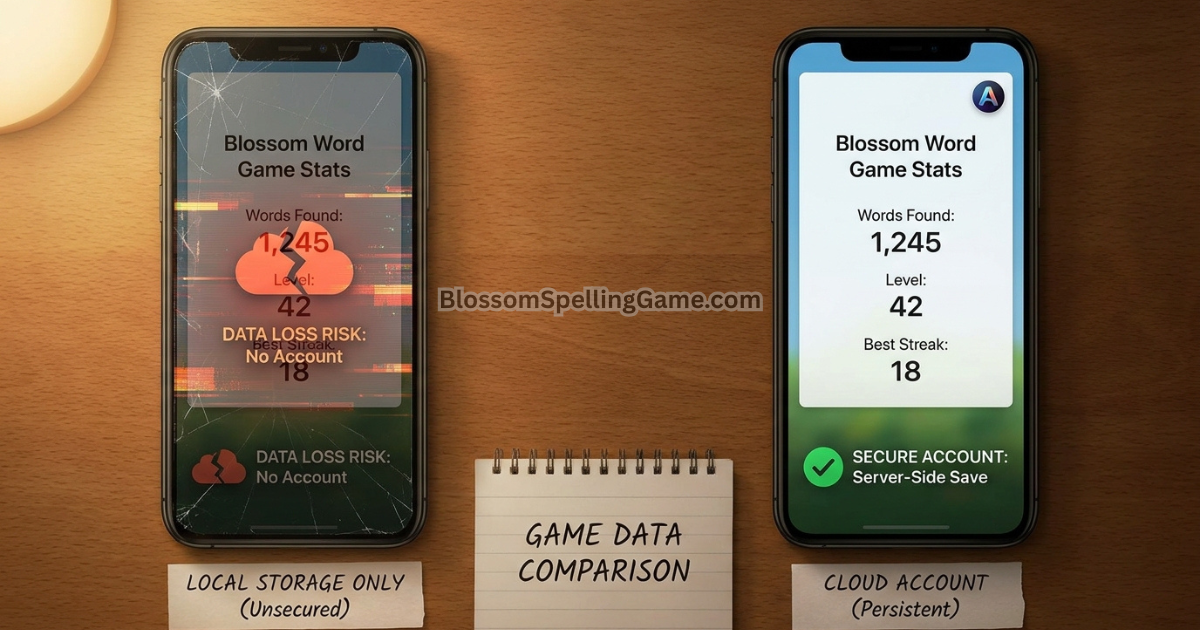
⚡ Short Answer: Yes — Blossom Word Game tracks your score, rank, streak, words found, and session history. With a free account on BlossomSpellingGame.com or the app, this data persists indefinitely across devices. Without an account, it’s stored locally in your browser or app and can be lost when you clear data or switch devices.
What Blossom Tracks — The Complete List
Across most platform implementations, Blossom records the following data for each completed session:
Per-session tracking:
- Total score for that day’s session
- Number of words found
- Which specific words you submitted
- Whether the pangram was found
- Your rank for that session (Beginner → Genius)
- Time played (on some platforms)
Cumulative tracking (requires account for full persistence):
- Daily streak — consecutive days played
- Longest streak ever recorded
- Total puzzles played
- Average score over time
- Personal best score
- Score history by date (enables looking back at past sessions)
Performance analytics (account-based, varies by platform):
- Score trend over time
- Pangram hit rate
- Average word count per session
- Rank distribution across sessions
Account vs. No Account: What’s the Difference?
This is the most important practical distinction for players who care about their stats.
Playing without an account:
Your session data is stored locally — in your browser’s storage (cookies/localStorage) on the web, or in the app’s on-device storage. This means:
- Your stats are visible within the current session and across recent sessions on the same device
- Data can be lost when you clear browser history/cookies, switch browsers, use incognito mode, or change devices
- Your streak counter is device-specific — playing on a different device without an account creates a separate, unconnected counter
- There’s no way to recover lost stats if the local data is cleared
Playing with a free account:
Your session data is stored server-side, linked to your account. This means:
- Stats persist indefinitely regardless of device changes, browser clears, or app reinstalls
- Your streak syncs across all devices where you’re logged in
- Score history is accessible on any device, any browser
- You can see historical session data going back to when you created your account
The recommendation: If you play consistently and care about your stats — particularly your streak — creating a free account is the single most effective data-protection step available. It takes about 60 seconds and requires only an email address.
Where to Find Your Score History
On BlossomSpellingGame.com:
After completing a session, a score summary screen displays your total score, rank, words found, and whether you found the pangram. With an account logged in, a stats panel or profile section (typically accessible from the main menu or a stats icon) shows your historical data — streak, total sessions, average score, and often a session-by-session history.
On the Blossom mobile app:
The app typically displays a stats screen accessible from the main menu or profile icon. This shows your streak counter, longest streak, total puzzles played, and score history. Account login enables cross-device sync of all this data.
The archive connection:
On BlossomSpellingGame.com, your personal session data for past puzzles may be visible within the archive view — showing not just what the complete word list was for a given day but what you specifically found and your score, compared to the maximum possible. This feature varies by account status and platform implementation. See our Archive Guide for full details.
What the Rank System Actually Measures
Blossom’s rank system — running from Beginner up through Genius — is a relative performance metric, not an absolute score threshold. This is worth understanding precisely because it means the same raw score can produce different ranks on different days.
How ranks are calculated: Your rank for any given session is based on your score as a percentage of the total possible score for that specific day’s puzzle. A day with many valid words and a high maximum possible score requires more raw points to reach Genius than a day with fewer valid words overall.
Why this matters for tracking: If you’re tracking your progress using rank rather than raw score, be aware that rank comparisons across different days aren’t perfectly apples-to-apples — a “Great” one day might represent a higher raw score than a “Great” on a harder day where the maximum possible score was higher. For meaningful progress tracking, raw score trends over time are a more consistent signal than rank alone.
The rank tiers (general): Beginner → Good → Solid → Nice → Great → Amazing → Genius
Each tier represents a progressively larger fraction of the total available score for that day’s puzzle configuration.
Personal Best Scores — How They’re Recorded
Most Blossom implementations track your personal best score — the highest single-session score you’ve ever achieved. This is typically displayed prominently in your stats panel and provides a motivating benchmark for daily play.
The personal best context problem: Because every puzzle has a different maximum possible score (different letter sets allow different numbers and lengths of valid words), a high personal best from a particularly word-rich puzzle isn’t directly comparable to a more modest score from a constrained letter set. Your personal best is a record of your peak performance, but it’s partly a function of which puzzles you’ve played and how forgiving their letter sets were.
A more useful benchmark: Many experienced players track their average score over a rolling 30-day window rather than focusing on the all-time personal best. The rolling average smooths out the day-to-day variation caused by different puzzle difficulties and gives a cleaner read on underlying skill improvement.
What Doesn’t Get Tracked
For a complete picture, it’s worth knowing what the game’s tracking system doesn’t capture.
Words you attempted but didn’t submit: Blossom records accepted submissions, not rejected attempts. There’s no log of words you tested and had rejected — only the words that made it into your found-words list.
Time spent per word: Most implementations don’t record granular timing data (how long you spent finding each specific word). Time played overall is tracked on some platforms, but not at the word level.
Which words you missed: The game doesn’t automatically track which valid words existed in the puzzle that you didn’t find. For this information, you need to access the archive after the puzzle resets — which shows the complete valid word list and lets you compare against your own session’s words. See our Archive Guide for this workflow.
Performance by letter set type: No standard Blossom implementation breaks down your performance by center letter type, vowel count, or other structural features of the letter set. If you want this level of analysis, you’d need to maintain a personal tracking spreadsheet using your session scores.
Using Your Stats to Actually Improve
Score tracking is only valuable if you use it for something beyond curiosity. Here’s how to turn your stats into actionable improvement signals.
Identify your scoring floor and ceiling: Look at your last 20 sessions. What’s your lowest score? What’s your highest? The gap between them represents your current performance range. Understanding where that floor comes from (specific letter sets? time constraints? missed strategies?) gives you a target to raise the floor.
Track pangram hit rate: If your platform shows pangram data, calculate what percentage of sessions you find the pangram. This is the single most diagnostic metric for identifying where your score ceiling can rise — players who consistently find the pangram score dramatically more than those who find it occasionally. See our Pangram Guide for the hunting methodology.
Compare score to word count: A session with 12 words but a low score indicates short-word dominance — you found words but mostly short ones. A session with 8 words but a decent score indicates length-focus — fewer words but better word selection. The relationship between word count and score tells you whether your limiting factor is vocabulary breadth (finding words at all) or vocabulary length (finding long words specifically).
Use the archive for gap analysis: After the daily reset, check yesterday’s complete word list in the archive and compare it to what you actually found. The gap — words you missed — points directly to vocabulary and strategy improvements. Covered in depth in our Archive Guide.
FAQ
Does Blossom Word Game save your score?
Yes — your score is saved at the end of each session. With a free account, it’s stored server-side and accessible indefinitely from any device. Without an account, it’s stored locally on your device and can be lost if you clear browser data or switch devices.
Can I see my past scores in Blossom?
Yes, with an account. Your score history is accessible through your stats panel or profile section on BlossomSpellingGame.com and in the mobile app. Without an account, recent scores may be visible in local storage but aren’t reliably persistent across device changes or data clears.
Does Blossom track my personal best score?
Yes — most implementations record your personal best session score and display it in your stats. Keep in mind that personal bests reflect both your skill and the particular difficulty of the puzzle where you achieved it.
What is the rank system in Blossom?
Ranks (Beginner → Genius) represent your score as a percentage of the maximum possible score for that specific day’s puzzle. Because the maximum varies by puzzle, the same rank on different days may represent different raw scores. For consistent progress tracking, raw score trends are more reliable than rank comparisons across different days.
Do I need an account to track my Blossom score?
You don’t need an account to see your current session’s score — that’s always displayed after completing a session. But for persistent history, streak tracking, and cross-device access to your stats, a free account is required.
What does Blossom NOT track?
The game doesn’t record words you attempted but didn’t find, granular timing per word, or which valid words you missed (for that, use the archive after the reset). It also doesn’t break down performance by letter set type or other structural features of individual puzzles.
Final Thoughts
Blossom tracks your score reliably — and with a free account, it tracks it persistently enough to be genuinely useful for monitoring improvement over time. The stats system is most valuable when you use it actively: checking your pangram hit rate, monitoring your rolling average rather than fixating on the personal best, and combining session data with archive review to identify specific vocabulary gaps.
If you’ve been playing without an account and want your stats to actually stick, the three-minute account setup at BlossomSpellingGame.com is the most impactful non-gameplay change you can make today.
Play today’s puzzle at BlossomSpellingGame.com — and check your stats panel afterward.