
How often does Blossom Word Game update? Daily puzzles, word list changes, app versions, and feature rollouts — here’s the complete update schedule breakdown.
This question sounds simple — “how often does Blossom update?” — but it actually has four different answers depending on what you mean by “update.” The daily puzzle updates. The word list updates. The app updates. The platform features update. Each happens on a completely different schedule, and mixing them up leads to real confusion: why did a word work yesterday but not last week? Why does the app look slightly different on your friend’s phone? Why did a word you know is in the dictionary still get rejected?
This guide untangles all four update types, explains exactly how each one works, and tells you practically what each kind of update means for your daily play.
The Four Types of Blossom Updates
Before diving in, it helps to name each category clearly, because they operate on entirely different timescales and affect completely different aspects of your experience.
Type 1 — The daily puzzle: New letter set, new center letter, new valid words, new pangram. This resets every 24 hours without exception. This is what most players mean when they say the game “updates.”
Type 2 — The word list: The underlying dictionary that determines which words are accepted and rejected. This changes slowly — weeks to months between meaningful changes — and is driven by Merriam-Webster’s formal update cycles rather than the game itself.
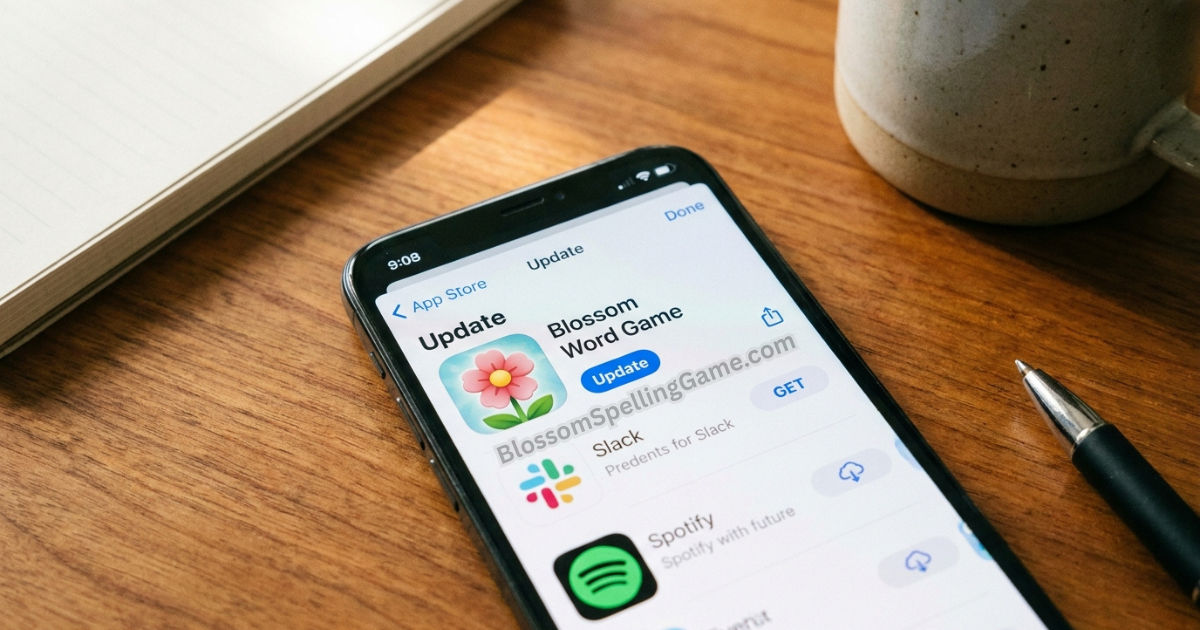
Type 3 — App version releases: Updates pushed to the iOS App Store or Google Play that change the app’s code, design, or functionality. These are discrete releases that happen irregularly, typically when developers have accumulated enough changes to warrant a new version.
Type 4 — Platform and feature updates: Changes to BlossomSpellingGame.com’s interface, scoring displays, streak tracking, archive features, or other platform-level functionality. These happen without a formal version release and players often don’t notice them as deliberate updates.
The Daily Puzzle Update — What Actually Changes Every 24 Hours
This is the most reliable and most frequent update in the entire game: a completely fresh puzzle drops every single day at midnight Eastern Time.
Every daily reset delivers:
- A new seven-letter set (center letter + six petals)
- A new valid word list specific to that letter combination
- A new pangram (or set of pangrams, on days when multiple exist)
- A new bonus petal letter
- A reset of everyone’s score and slot count to zero
What doesn’t reset: Your streak counter, your account history, your personal stats, and your archive access all persist through the daily reset.
The consistency guarantee: This update is the one thing about Blossom that has never missed a day. It’s not technically a “game update” in the software sense — it’s an automated daily function built into the game’s infrastructure. The puzzle refreshes whether or not any other part of the game has been touched by developers.
Timezone note: The reset at midnight ET means different times across the US — 9 PM Pacific, 10 PM Mountain, 11 PM Central. For a complete timezone breakdown and what it means for your streak, see our Reset Time Guide.
The Word List Update — The Slowest Moving Change
This is the update type that causes the most confusion among players, because it’s invisible — you can’t see it happening, and you only notice it when a word suddenly starts working (or stops working) without any explanation.
How it works: Blossom’s word acceptance is powered by a Merriam-Webster-based validation database. When M-W formally adds new words to its dictionary — which happens in batches several times per year — those words eventually become eligible to appear in Blossom. However, as covered thoroughly in our Dictionary Guide, there’s a meaningful lag between M-W adding a word and Blossom’s validation database incorporating it.
The practical update frequency: Expect meaningful word list changes roughly a few times per year, roughly aligned with M-W’s spring and fall update cycles, but with additional lag. Don’t expect words added to M-W in March to reliably work in Blossom by April.
What changes (and what doesn’t): New vocabulary additions are the primary word list change. Words are extremely rarely removed from the valid list once they’ve been accepted. Rule changes to what categories of words are accepted (proper nouns, hyphenated words, abbreviations) are even rarer and typically require a deliberate platform-level decision rather than a dictionary update.
Why this matters for players: If you test a word and it fails, wait a few months and test it again. If you’ve seen online discussion suggesting a specific word was recently added to M-W, it may take until the next integration cycle for it to work in the game. The Dictionary Guide covers the full mechanics of this lag in detail.
App Version Updates — What Gets Released and When
Unlike the daily puzzle (daily, guaranteed) or the word list (a few times per year, invisible), app version updates follow a developer-driven schedule that’s inherently unpredictable.
How app updates work: When the development team behind the Blossom mobile app has accumulated bug fixes, UI improvements, performance enhancements, or new features, they submit a new version to the App Store or Google Play. Apple and Google review the submission (typically within 24-72 hours for established apps), then release it to users.
What triggers an app update:
- Bug fixes — correcting crashes, display errors, submission glitches
- Performance improvements — faster load times, better offline caching
- UI refinements — visual polish, accessibility improvements, layout changes
- New feature additions — additional stats tracking, share format changes, notification improvements
- iOS/Android compatibility updates — keeping the app functional on new operating system versions
How often to expect them: Most actively maintained apps in the daily puzzle game space release updates every 4-8 weeks, though this varies significantly. Some updates are minor patch releases players won’t notice; others are major version bumps with visible changes.
How to get app updates: Updates are delivered automatically if you have auto-update enabled (the default setting on most devices). If you have auto-update disabled, you’ll find updates in the “Updates” section of the App Store or Play Store.
What app updates can’t change: App updates don’t change the daily puzzle (that’s server-side), and they don’t change which words the game accepts (that’s the word list update). An app update can change how your score is displayed but not what score a given word earns.
Feature and Platform Updates — The Changes You Might Not Notice
This is the update category that happens most quietly. BlossomSpellingGame.com and similar Blossom platforms regularly make improvements to the web experience that don’t involve a formal version number, don’t generate a news announcement, and often go completely unnoticed by most players.
What this category includes:
- Changes to the stats display or score summary screen
- Improvements to the archive interface
- Modifications to how streaks are tracked or displayed
- Share format adjustments
- Hint system changes
- UI tweaks to the game board itself
- Back-end infrastructure improvements that affect load speed or reliability
How you’ll notice them: Usually you won’t — until something looks slightly different than yesterday and you can’t quite put your finger on what changed. If you ever open Blossom and feel like the layout looks slightly different or a feature works differently than you remember, this is the likely explanation.
Frequency: These micro-updates happen continuously on the web platform — web development doesn’t require the formal submission and review process that app stores impose. The team can make small improvements any day of the week and deploy them immediately.
Player impact: Most platform updates are improvements that don’t require any action on your part. If you ever encounter a feature behaving unexpectedly after a platform update, a hard refresh (Ctrl+Shift+R on desktop, or clearing browser cache) typically resolves display inconsistencies from cached old assets.
How to Tell Which Type of Update Affected You
When something in Blossom seems different or a word behaves unexpectedly, matching the symptom to the update type helps you understand what’s happening and what (if anything) to do about it.
“A word that worked before now gets rejected” → Extremely rare and almost certainly not a word list removal. More likely the word was never in the list and your memory of it “working” is a false memory, or the specific letter set today doesn’t include all required letters. Test again carefully.
“A word I know is real won’t get accepted” → Almost always a word list timing issue — the word may be in M-W but not yet integrated into Blossom’s validated set. Test again in a few months. Full explanation in our Dictionary Guide.
“The app looks different than yesterday” → An app version update or platform update was pushed. Check your App Store for recent updates. If using the browser, try a hard refresh.
“The puzzle letters are the same as yesterday” → Check your timezone. The reset happens at midnight ET — if you’re playing right at reset time in a different timezone, confirm the clock has actually crossed midnight ET before concluding the puzzle hasn’t updated.
“The game added a feature I didn’t know about” → A platform update. No action required — just enjoy the new feature.
Staying Informed About Blossom Changes
Blossom doesn’t publish a formal public changelog the way some software products do, which means staying informed requires knowing where to look.
The App Store “What’s New” section: When an app update is released, both the App Store and Google Play display release notes describing what changed. These are often brief (“bug fixes and performance improvements”) but sometimes mention specific new features. Check this on your next app update.
BlossomSpellingGame.com directly: The site itself is the most current source for platform-level changes. If a new feature has been added to the web interface, it’s there when you load the page.
Word game communities: Reddit’s r/WordGames and similar communities often surface notable word list changes when players collectively notice new words working or expected words failing. This is particularly useful for word list updates, which have no official announcement.
Merriam-Webster’s own announcements: Since word list updates follow M-W’s dictionary expansion, M-W’s “New Words We Added” announcements (published on their site and widely covered in word-enthusiast communities) serve as an early signal of what vocabulary might eventually become valid in Blossom — with the lag caveat.
FAQ
How often does Blossom Word Game update?
It depends on which aspect: the daily puzzle resets every 24 hours at midnight ET; the word list updates a few times per year following Merriam-Webster’s dictionary update cycles; app versions update irregularly based on developer releases (roughly every few weeks to months); and the web platform updates continuously with small improvements.
Why did a word suddenly start working in Blossom that didn’t work before?
Almost certainly a word list update. Blossom’s valid word database periodically incorporates new Merriam-Webster additions with some lag. A word formally added to M-W may take several months to appear in Blossom’s accepted list.
Does the Blossom puzzle change every day?
Yes, without exception. A completely fresh seven-letter set with new valid words, a new pangram, and a new bonus petal letter resets at midnight Eastern Time every day.
How do I know if my Blossom app needs an update?
Check the App Store (iOS) or Google Play (Android) for available updates to the app. Most devices update apps automatically by default. If you suspect you’re on an older version, open the store and look for the Blossom app in your “Updates” section.
Do Blossom word list updates remove previously valid words?
Essentially never. Words are added to the valid list but extremely rarely removed. If a word that worked before is now being rejected, the most likely explanation is that it’s the wrong letter set today or a memory error rather than a genuine removal.
Where can I find out what changed in a recent Blossom update?
Check the “What’s New” section in your App Store or Google Play listing for the Blossom app after an update. For word list changes, word game communities on Reddit often surface notable additions. Merriam-Webster’s own new-word announcements give advance notice of vocabulary likely to eventually reach Blossom.
Final Thoughts
“How often does Blossom update?” has four answers, and knowing which one you’re asking saves real confusion. The daily puzzle update — the one that matters most for your morning routine — is the most reliable thing about the entire game. The word list update is the most confusing because it’s invisible until you suddenly notice a word working that didn’t before. The app and platform updates are the most variable, driven by developer decisions rather than any fixed schedule.
Most of the time, the change that’s affecting your session isn’t any of these updates — it’s simply a different letter set producing different possibilities than yesterday. The game itself is working exactly as designed.
Play today’s puzzle at BlossomSpellingGame.com. Whatever’s changed, the seven letters are fresh and the pangram is in there somewhere.