
Can you play Blossom Word Game offline? Yes — sometimes. Here’s exactly how it works on the app, browser, and what to do before losing your connection.
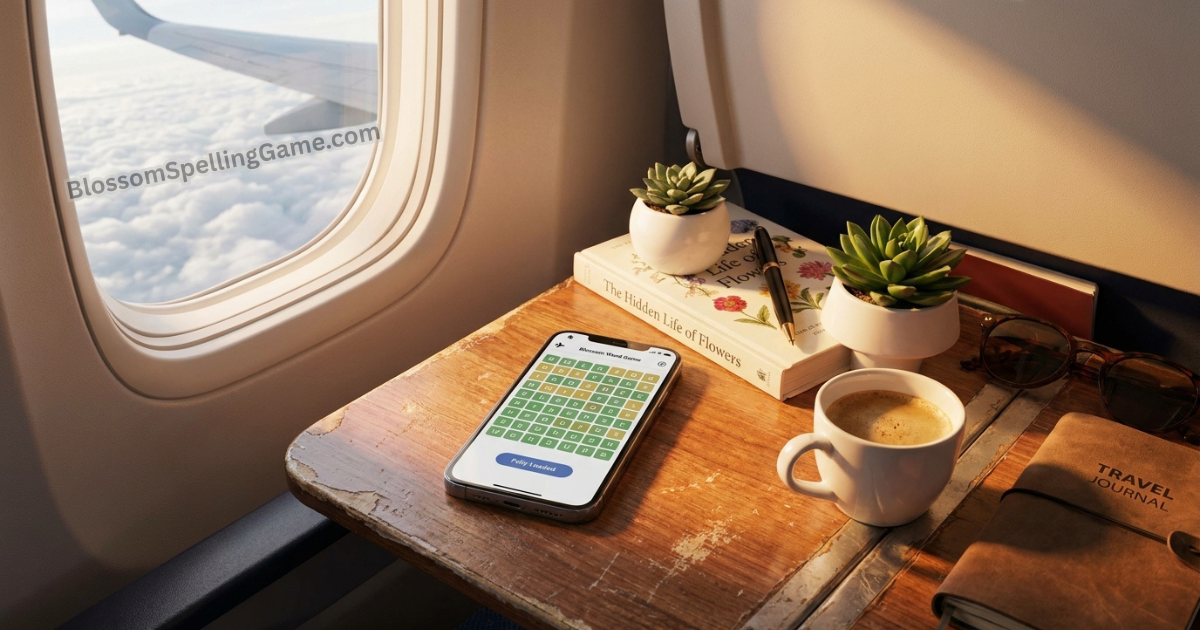
You’re on a plane. Or a subway. Or somewhere deep in the mountains where your phone’s “no signal” icon feels personal. And you’re wondering — can you still play Blossom?
The answer is: it depends on what you did before you lost connection, and which version of the game you’re using. There’s no single yes or no here — offline access in Blossom is a matter of preparation, platform, and a little bit of browser magic that most players don’t know about.
This guide gives you the complete, practical picture: how offline play works on the app, what the browser version can and can’t do without a connection, how to set yourself up for offline access before you travel, and what to do when you’re already disconnected and wondering if there’s any hope.
The Short Answer: It Depends
⚡ Short Answer: The Blossom mobile app supports offline play — but only for puzzles already loaded while you had a connection. The browser version at BlossomSpellingGame.com requires an internet connection by default, though modern browsers can cache the game with varying reliability via PWA functionality. The key to offline access is preparation: open the game while connected before you need it offline.
Offline Play on the Blossom Mobile App
The mobile app is the most reliable path to offline Blossom play, and it works through a straightforward caching mechanism.
How it works: When you open the Blossom app while connected to the internet, the day’s puzzle data — the letter set, valid words, scoring rules — is downloaded and stored locally on your device. Once that data is cached, the puzzle is fully playable without an active connection.
What this means practically: If you open the app at home on Wi-Fi, see the letters load, and then board a plane — the puzzle will still be there and fully functional when you open the app mid-flight, even in airplane mode.
The critical timing window: The puzzle must have loaded at least once while you were connected. Simply having the app installed isn’t enough — the day’s specific puzzle data is fetched fresh each day. If you haven’t opened the app at all since the daily reset, you’ll need a connection to load today’s puzzle before going offline.
What app offline access includes:
- Full puzzle play — all letter tiles, submission, scoring feedback
- Your word list and score accumulation as you find words
- Session completion and final score display
What app offline access doesn’t include:
- Loading a puzzle you haven’t fetched yet
- Syncing your score or streak to the server (happens automatically when you reconnect)
- Accessing the archive or past puzzles you haven’t previously loaded
- Any features requiring server communication (leaderboards, account data refresh)
Offline Play on the Browser (BlossomSpellingGame.com)
The browser version is the default experience for most Blossom players — no download, no account, just open and play. But it comes with a connectivity limitation that the app doesn’t share.
The default situation: BlossomSpellingGame.com requires an active internet connection to load the daily puzzle. When you open the site, it fetches today’s puzzle data from the server in real time. If that connection isn’t available, the site won’t load and the puzzle isn’t accessible.
The mid-session exception: If you’ve already loaded today’s puzzle in a browser tab and the connection drops while you’re actively playing, the current session often continues working — the puzzle data is already in your browser’s active memory and doesn’t need to re-fetch mid-session. Losing connection after the puzzle has loaded but before you’ve finished submitting words usually doesn’t interrupt play.
What this means: Browser players who lose connection after starting a session are generally fine. Browser players who haven’t loaded the puzzle yet before losing connection are stuck until connectivity returns.
Progressive Web App (PWA) Caching — The Browser Exception
Here’s the part most guides don’t mention: modern browsers support a feature called Progressive Web App (PWA) functionality, which allows certain websites — including BlossomSpellingGame.com — to cache core files on your device for offline or low-connectivity access.
What PWA caching does: When you “Add to Home Screen” from your mobile browser (Safari on iOS, Chrome on Android), the browser downloads and stores core application files locally, enabling the site to function with reduced or no connectivity in certain scenarios.
The reliability caveat: PWA offline functionality varies significantly by browser, device, and how thoroughly the site has implemented service worker caching. Some users find the PWA version reliably accessible offline after initial setup; others find it loads partially or not at all without a connection. This isn’t a guaranteed offline solution — it’s an inconsistent one that depends on your specific browser and device combination.
How to set it up:
On iOS (Safari):
- Open BlossomSpellingGame.com in Safari
- Tap the Share button (box with arrow)
- Scroll down and tap “Add to Home Screen”
- Confirm the name and tap “Add”
On Android (Chrome):
- Open BlossomSpellingGame.com in Chrome
- Tap the three-dot menu
- Tap “Add to Home Screen” or “Install App”
- Confirm installation
The resulting home screen icon behaves more like an app than a browser bookmark, and may provide better offline functionality than standard browser access — though results vary.
How to Prepare for Offline Play Before You Lose Connection
Whether you’re using the app or browser, the same preparation principle applies: load today’s puzzle while connected, before you need it offline.
The pre-flight checklist:
- Open Blossom (app or browser) while on Wi-Fi or cellular data
- Confirm today’s puzzle has loaded — you should see the seven letters in the flower grid
- Optionally play a few words to confirm the session is active
- If using the browser, keep the tab open rather than closing it (mid-session offline continuity is more reliable than loading from scratch offline)
- Enable airplane mode or allow connection to drop — the cached puzzle remains accessible
For commuters: Open the app at home before leaving, let it load, then use it on the subway or train without connectivity. This takes about five seconds of extra preparation in the morning.
For travelers: Open and load the puzzle at the airport or hotel before boarding. Even just seeing the letters appear is enough to confirm the puzzle is cached and ready.
For uncertain connection situations: If you know connectivity will be unreliable (camping, rural areas, international travel), load the app version specifically — it provides more reliable offline continuity than the browser version.
Platform-by-Platform Breakdown
| Platform | Offline Capable? | Conditions | Reliability |
|---|---|---|---|
| Blossom App (iOS) | Yes | Must load puzzle while connected first | High |
| Blossom App (Android) | Yes | Must load puzzle while connected first | High |
| Browser (standard) | Partial | Must already have puzzle loaded in active tab | Medium |
| Browser (PWA / Add to Home Screen) | Sometimes | Depends on browser/device; inconsistent | Low-Medium |
| BlossomSpellingGame.com (fresh load) | No | Requires connection to fetch puzzle | N/A |
What Doesn’t Work Offline (Regardless of Platform)
Even with a cached puzzle loaded and ready, certain features require an active connection:
Streak and score syncing: Your session results are stored locally while you play offline, but syncing to your account server (streak counter update, score history) happens when connectivity is restored. Your data isn’t lost — it’s just pending sync until you reconnect.
Archive access: Past puzzles are fetched from the server and not cached locally. Browsing yesterday’s answers or the monthly archive requires an internet connection.
Account features: Logging in, updating profile settings, or accessing any account-management functionality requires connectivity.
Social sharing: The share score feature typically requires an active connection to generate and share your result.
Loading a new day’s puzzle: Even on the app, if you haven’t loaded today’s puzzle before going offline and the daily reset has occurred, you’ll need to reconnect to fetch the new day’s letters.
Troubleshooting: Why Offline Play Failed
Problem: App shows “no puzzle available” or loading error offline Cause: You didn’t load today’s puzzle before losing connection, or the daily reset occurred after your last connection. Fix: Reconnect briefly to fetch the day’s puzzle, then go offline again.
Problem: Browser won’t load the puzzle offline even though it worked mid-session before Cause: The browser tab was closed and the cached session data was cleared. Fix: Always keep the active Blossom tab open when anticipating connectivity issues — don’t close and reopen the tab offline.
Problem: PWA version loads but shows old puzzle or no puzzle Cause: Service worker cache is serving stale data. Fix: Connect briefly, refresh the PWA to load fresh puzzle data, then go offline.
Problem: Score/streak didn’t update after offline session Cause: Normal sync delay — scores sync when connection is restored. Fix: Reconnect your device and open the app/browser again. Sync typically happens automatically within seconds.
FAQ
Can you play Blossom Word Game without internet?
Yes, with preparation. The mobile app supports offline play for puzzles loaded while connected. The browser version requires an active connection to initially load a puzzle, but maintains playability mid-session if connection drops. The key is loading today’s puzzle before you lose internet access.
Does the Blossom app work in airplane mode?
Yes — if you’ve opened and loaded the day’s puzzle before enabling airplane mode, the puzzle remains fully playable offline. Your score and progress sync automatically when you reconnect.
Can I play yesterday’s Blossom puzzle offline?
Not reliably. Archive puzzles aren’t cached locally and require an active connection to load. You’d need to have loaded a specific past puzzle while connected for offline access to that specific puzzle.
What happens to my score if I play offline?
Your score and word list are stored locally while you play offline. When you reconnect your device and open the game, your results sync to your account automatically. Your progress isn’t lost.
Is the browser version or app better for offline play?
The app is significantly more reliable for offline play. The browser version has limited offline capability through PWA caching, but it’s inconsistent. If offline access matters to you, install the dedicated app rather than relying on the browser.
How do I make sure the Blossom app is ready for offline use?
Open the app while connected (ideally on Wi-Fi) each morning and let today’s puzzle load fully — you’ll see the seven letters in the flower grid. Once loaded, the puzzle is cached and available offline for the rest of the day.
Final Thoughts
Offline Blossom play is entirely possible — but it’s not automatic. The puzzle has to be pre-loaded before connectivity drops, the app provides more reliable offline access than the browser, and a few features (archive, sync, account management) always need a connection regardless.
The one-sentence habit that solves 95% of offline access problems: open the Blossom app and let today’s puzzle load while you’re still on Wi-Fi each morning. Everything after that — the commute, the flight, the dead zone — takes care of itself.
Play today’s puzzle at BlossomSpellingGame.com while you’re connected, and next time you’re somewhere without signal, you’ll be ready.